 BuyBest
Home › Best Portable Monitors 2026: Brightness-Measured Picks
Best Portable Monitors in 2026: Brightness-Measured Picks
A portable monitor's spec sheet is the least honest document in the monitor industry, because every number on it is conditional in ways the sheet does not print. In this category the brightness claim is a ceiling the panel may only reach on a wall adapter — the same screen measured 890 nits on its adapter and 271 on laptop power in one lab test of a rival model. So every pick below is printed with the brightness a lab actually measured and what was powering it, the travel weight including the stand it actually travels with, and its measured colour — because much of this category is 45-65% NTSC-class glass sold with "vivid" marketing. One rule before the picks: your laptop or phone's USB-C port must support DisplayPort Alt Mode. A charging-only port will never light any screen in this guide, whatever the cable suggests.
At a glance
| Monitor | Size / Panel | Brightness: claimed → measured | Travel weight | Typical price |
|---|---|---|---|---|
| ASUS ZenScreen MB169CK | 15.6" IPS, 1080p | 250 → 205 full-power, 140 on USB power | 0.78 kg (panel) | $109-$119 |
| Dell Pro 14 Plus P1425 | 14" IPS, 1920x1200 | 400 → 409 measured — claim holds | 0.57 kg | $249-$329 |
| Lenovo ThinkVision M14t Gen 2 | 14" IPS touch, 2240x1400 | 300-class → 250 measured | ~0.68 kg | $300-$400 |
| ViewSonic TD1656-2K | 16" IPS touch, 2560x1600 | 330 → 363 / 381 measured — beaten | 0.82 → 1.27 kg with cover | $350-$380 |
| ViewSonic VX1655-4K-OLED | 15.6" OLED, 4K | 400 → over 500 peak measured | 0.68 kg | $499.99 |
| espresso Pro 15 | 15.6" IPS touch, 4K | 550 → 572 / 556 measured — beaten | 0.80 → ~1.4 kg with stand | $699 |
Prices checked November 2026 — live prices at the retailer may differ.
ASUS ZenScreen MB169CK — the mainstream default
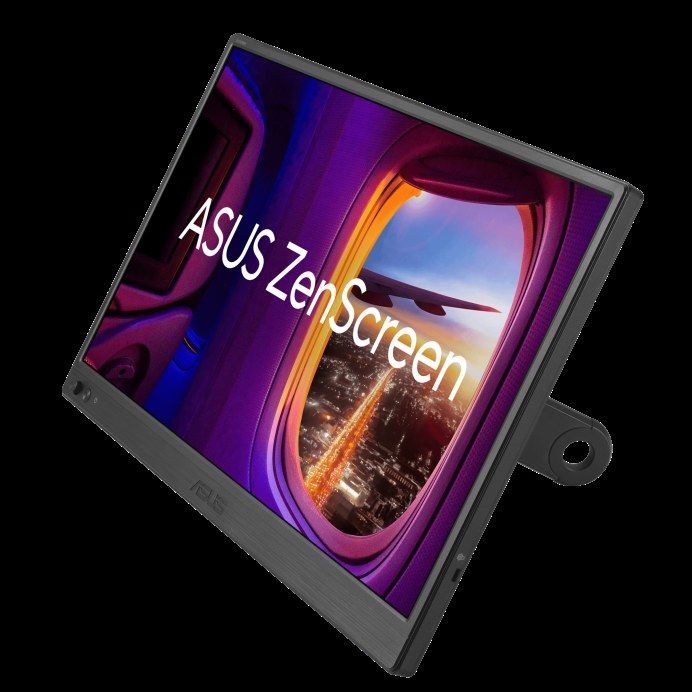
What "a portable monitor" means to most buyers in 2026: 15.6 inches of 1080p, one USB-C cable, about a hundred dollars — and ASUS's current default design is genuinely better than the folio-cover generation, with two USB-C ports, a mini-HDMI input and a proper detachable 360-degree kickstand that works in portrait. Its panel is this guide's opening lesson in portable honesty. ASUS claims 250 nits; Expert Reviews measured 205 on a full-power host and found brightness capped at about half (114 nits) when the host cannot feed it enough; ServeTheHome, running on USB-C power, measured 140. We print both labs rather than averaging them, because the disagreement is the finding: this screen's brightness is a function of what feeds it. Colour is documents-class — two labs measured 62-68% sRGB — so it is a second window for spreadsheets, documents and chat, not a screen to judge photos on. The second USB-C port is power-in only; it cannot pass charge through to your laptop. Panel weight 0.78 kg; ASUS does not publish a with-stand figure and we do not invent one.
Buy if you need a cheap, light second window that travels everywhere.
Skip if you work in bright rooms or cafés — this is the dimmest pick here.
- Kickstand design, two USB-C ports and mini-HDMI at $109-$119
- The slot's default for a reason — stocked everywhere
- 205 nits measured at best, 140 on bus power
- 62-68% sRGB measured — documents only
Dell Pro 14 Plus P1425 — the lightest, and the claim holds
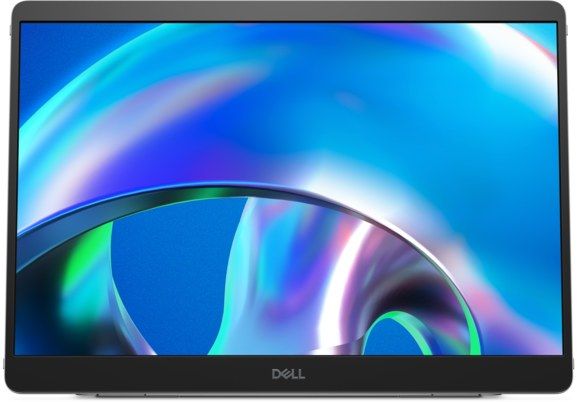
The current Dell portable — not the discontinued C1422H, not the end-of-life P1424H, whatever old roundups say — and the guide's brightness hero: Dell claims 400 nits and Tom's Hardware measured 409, a result so unusual in this category that we say so out loud. Colour holds too: 100% sRGB claimed, 100.6% measured. It is also the lightest complete package here (0.57 kg; about 0.62 kg with cables) with the stand its predecessors lacked — a weighted base tilting 10 to 90 degrees, portrait on either side with auto-rotation, and the lowest power draw of the picks (5.4W), which is laptop battery you keep. Two USB-C ports with 65W passthrough let one wall adapter charge the laptop through the monitor. The boundaries: USB-C only, no HDMI of any kind, so a DisplayPort Alt Mode host is mandatory and consoles need not apply; no speakers; and Tom's verdict on the $329 list price was "about $100 too expensive" — the street range below already reflects the discounting that followed.
Buy if brightness and weight are the whole point of travelling with a screen.
Skip if you need HDMI, speakers, or a price near pick 1.
- 400-nit claim verified by a lab — the category's rare honest panel
- Lightest here, portrait stand, 65W passthrough
- No HDMI at all — DP Alt Mode hosts only
- List price is $100 proud; buy it discounted
Lenovo ThinkVision M14t Gen 2 — the touch pick, with a Mac warning
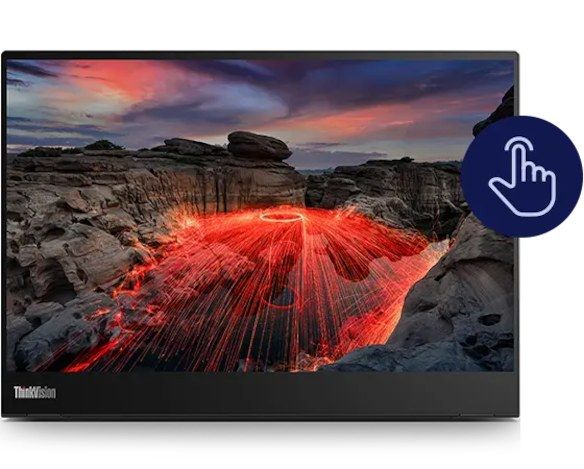
The business touch portable: 14 inches at a sharp 2240x1400, 10-point touch with a bundled stylus, dual USB-C with 65W passthrough, and the best contrast PCWorld measured among the IPS picks (1,880:1). Its brightness is the soft spot — a 300-class claim against PCWorld's measured 250 nits, "mediocre" in their word — and its colour is full sRGB without wide-gamut pretensions (79% DCI-P3 measured). The stand folds out to 90 degrees and PCWorld found it stable for touch use to about 60 degrees of tilt, which is the number that matters on a touchscreen. Now the trap, lab-tested rather than rumoured: its touch and stylus do not work on macOS — PCWorld tested the stylus on a Mac and it was dead, and Lenovo does not list Mac touch support. A Mac buyer is paying for a feature they cannot use; the display itself works fine. One availability asterisk: this is an enterprise-channel product (CDW and Lenovo direct), and lead times swing from days to weeks — budget the wait, not just the money.
Buy if you whiteboard, annotate or present on a Windows laptop.
Skip if your laptop is a Mac — the touch you are paying for will not work.
- Real touch and stylus with passthrough charging
- Sharp 2240x1400 panel, strong measured contrast
- 250 nits measured against a 300-class claim
- Touch is dead on macOS; enterprise-channel lead times
ViewSonic TD1656-2K — high resolution, claim beaten twice
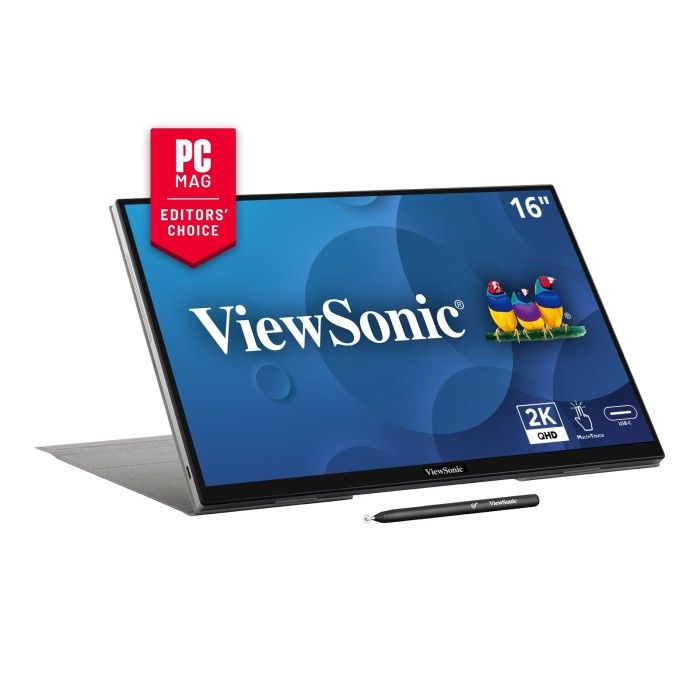
The resolution pick: 16 inches at 2560x1600 in a category drowning in 1080p — and the second pleasant surprise of this guide, because two independent labs both measured brightness above ViewSonic's 330-nit claim (Tom's Hardware 363; PCWorld 381, with 1,620:1 contrast). Colour measured 98.3% sRGB (Tom's) — near-full work gamut at 1600p sharpness. USB-C carries 65W two-way power, so it runs off the laptop or passes an adapter's charge through to it. Two honest costs. First, weight: the panel is 0.82 kg but the travelling total with its cover-stand is 1.27 kg (Tom's weighed it) — over a kilo, and we print it that way. Second, the panel is glossy, so in a bright room its reflections fight the brightness it genuinely has. There is no HDMI — consoles and docks need not apply — and Mac buyers get the family's standard rule: touch on macOS needs ViewSonic's vTouch driver, and on iPad there is no touch at all. Note the street price has risen since the reviews ($349.99 then, $379.99 now); we print the current one.
Buy if text density matters — code, documents, design review at 1600p.
Skip if every gram counts, or you need an HDMI input.
- Two labs beat its brightness claim; 1600p sharpness
- 98.3% sRGB measured, 65W two-way USB-C
- 1.27 kg travelling with its cover
- Glossy panel; price has risen since review
ViewSonic VX1655-4K-OLED — the picture-quality pick
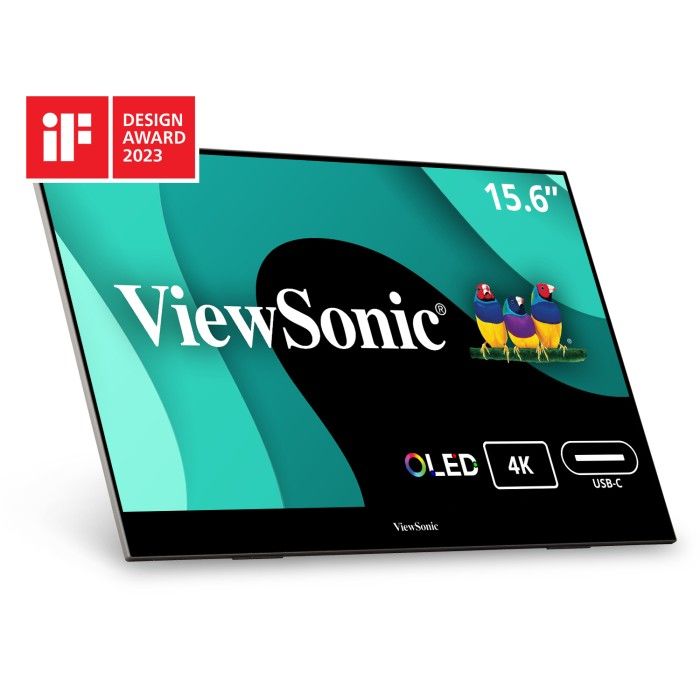
Named with its full suffix throughout, because ViewSonic also sells a 4K IPS under nearly the same name. This one is a 15.6-inch 4K OLED: per-pixel contrast, a 100% DCI-P3 claim with a corroborating measurement chain behind it (100% sRGB / 100% P3 in the aggregated record — one chain, labelled as such), and a brightness surprise — Wirecutter measured a peak above 500 nits against the 400 claim (via secondary reporting; the figure is flagged in our sources). The built-in kickstand does portrait and landscape, the panel's 0.68 kg is the travel weight because the stand is integrated, and mini-HDMI alongside the two USB-C ports makes this the easiest console screen here: Switch or Deck via mini-HDMI for video plus USB-C for power. The costs are power and one open question. Draw is 23-25W — roughly triple a 1080p portable — so budget a wall adapter or power bank for long sessions; your laptop battery will feel it. And one caution we could not fully close: a secondary report says panel burn-in is excluded from its US warranty. Static laptop UI held all day is exactly the burn-in use case, so check ViewSonic's warranty wording before you buy.
Buy if the travel screen must also be the good screen — films, photos, HDR clips.
Skip if it will show a static desktop all day, every day, on battery.
- 4K OLED colour and contrast no IPS portable matches
- Measured peak above its claim; kickstand built in
- 23-25W draw — a battery eater
- Burn-in warranty wording needs checking before purchase
espresso Pro 15 — the premium thin
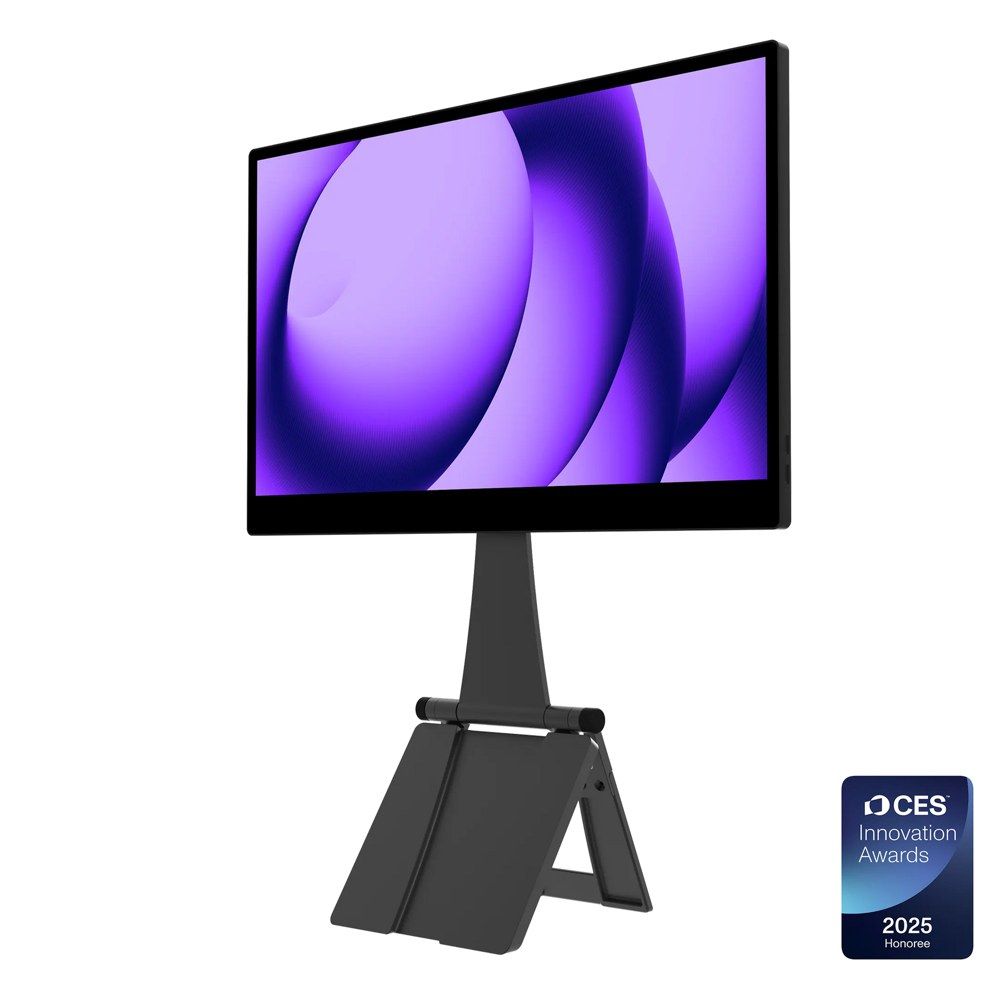
The pick for buyers who price thinness and touch like features: a 4K touch panel in an aluminium unibody, and the brightest verified screen in this guide — espresso claims 550 nits and two independent labs measured at or above it (Tom's Hardware 572; Engadget 556). Colour needs the method printed, not merged: Tom's reports 119.6% of DCI-P3 by volume, while PetaPixel measured 81.2% P3 by coverage with reds as the weak channel — different metrics, both true, and the honest summary is "wide-gamut, with reds its weakness." It is also the one portable here whose touch genuinely works on a Mac, through espresso's own espressoFlow software — the exception that proves the macOS rule on pick 3. The stand story is the counterweight to the thinness: the magnetic Stand+ that makes it ergonomic (it can even hold the panel above your laptop screen) adds roughly 0.55 kg, taking the travelling system to about 1.4 kg — the thinnest screen here is not the lightest system. USB-C only, no HDMI; adapters are extra. At $699, it buys pick 1 five times over — that is the decision, stated plainly.
Buy if you want the brightest, thinnest 4K travel screen and touch that works on a Mac.
Skip if value per dollar is any part of the decision.
- Brightest verified panel here — two labs above the claim
- Touch works on macOS via espressoFlow
- $699, and the stand takes the system to ~1.4 kg
- P3 coverage (81.2%) is weaker than its volume figure suggests
Also checked, and why they are not picks
The best-measured 1600p portable is unbuyable. ASUS's MB16QHG measured 479 nits (PCWorld) with 98% DCI-P3 — and TechRadar documented its single-cable brightness cap at about 60% — but it has left US retail; if ASUS restocks it, it gets a full pass at the next refresh. The business default is winding down: Lenovo's M15 was never metered by a major lab (roundups printing "100% sRGB" for it contradict Lenovo's own 45% NTSC spec — do not repeat that figure), B&H lists it discontinued, and its successor, the M16, launched in November 2026 unmeasured. ASUS's OLED (MQ16AH) is being cleared out — brightness of 318-413 nits depending on the power path, a folio stand three reviewers panned — and its kickstand refresh has no lab record at all. And the no-name class (Arzopa, UPERFECT, KYY): a few of its SKUs now have real lab measurements, so our rule is buy the measured SKU, never the brand — the class record includes a 500-nit claim measured at about 337, a 1,200-nit claim measured at 890 on a wall adapter and 271 on bus power, and two units of the same model differing by 163 nits in one lab's hands. Until the specific model you are buying carries a checkable lab record, it is a lottery ticket with a screen attached.
The desk honesty box
If the second screen never leaves your desk, do not buy a portable. Our 24-inch guide carries full desktop monitors at $100-$130 — bigger, brighter, height-adjustable, with a real stand and zero drain on your laptop battery — and every portable in this guide loses that comparison on everything except the one thing it is for. The portable premium only makes sense when the screen travels: hotel desks, client sites, trains, a laptop that moves. Buy the portable for the trips, or buy the desktop for the desk. The mistake is buying the portable for the desk.
Update history
November 11, 2026: Published: six portable monitors with lab-measured brightness and the power source named — the category's brightness league, bus-power caps and honest travel weights, plus the desk honesty box.
Sources checked
Specs and prices in this guide were checked against these sources in November 2026 — the manufacturer's own listing plus an independent lab or reviewer, per our two-source rule.
- ASUS ZenScreen MB169CK — official product page
- ServeTheHome — ASUS ZenScreen MB169CK lab review
- Expert Reviews — ASUS ZenScreen MB169CK lab review
- Dell Pro 14 Plus P1425 — official product page
- Tom's Hardware — Dell Pro 14 Plus P1425 lab review
- Lenovo ThinkVision M14t Gen 2 — official product page
- PCWorld — Lenovo ThinkVision M14t Gen 2 lab review
- ViewSonic TD1656-2K — official product page
- Tom's Hardware — ViewSonic TD1656-2K lab review
- PCWorld — ViewSonic TD1656-2K lab review
- ViewSonic VX1655-4K-OLED — official product page
- espresso Pro 15 — official store
- Tom's Hardware — espresso Pro 15 lab review
- PetaPixel — espresso Pro 15 review

Akbar Khan Editor, BuyBestMonitor
Akbar has run BuyBestMonitor since its original 2020 launch. Every guide here is checked under the site's two-source rule — manufacturer specs confirmed against an independent lab review — before publication and at every refresh. About the editor · How we check monitors