 BuyBest
Home › Best Monitor for Mac mini 2026: M6 and M5 Pro Picks, Checked
Best Monitor for Mac mini in 2026: What the M6 and M5 Pro Can Drive, and What to Plug In
Most "monitor for Mac" advice is written for a MacBook, and half of it is wrong for a Mac mini. A laptop buyer is told to chase charging wattage; a mini has its own power cord. A laptop brings a screen, speakers, a camera and microphones to the desk; a mini brings one small speaker and nothing else. And a mini has something a laptop guide rarely explains properly: a table of exactly how many screens it will run, at what refresh rate, from which port.
So this page starts with that table. The figures are Apple's own, read from Apple's US pages on 18 November 2026. We do not test monitors or Macs on a bench — every measured number further down belongs to a named reviewer, every claim is labelled as a claim, and the multi-screen setups are read off Apple's limits, not tried by us.
What a Mac mini can drive: Apple's own numbers
Apple sells two Mac minis new today: the M6 from $899 and the M5 Pro at $1,699. The M4 model is no longer sold new by Apple, though plenty are on desks — it is in the second table.
| Apple's figure | Mac mini M6 (from $899) | Mac mini M5 Pro ($1,699) |
|---|---|---|
| Most displays at once | 3 | 3, any mix of Thunderbolt and HDMI |
| Three displays | Two at up to 6K 60Hz or 4K 165Hz, plus a third at up to 5K 60Hz over Thunderbolt or 4K 60Hz over HDMI | All three at up to 6K 60Hz or 4K 165Hz |
| Up to two displays | One at up to 8K 60Hz, 5K 120Hz or 4K 240Hz, plus one at up to 4K 60Hz over HDMI | One at up to 8K 60Hz, 5K 120Hz or 4K 240Hz, plus one at up to 4K 60Hz over HDMI |
| Displays from one Thunderbolt port | Up to two | Up to three |
| Rear ports for monitors | 3x Thunderbolt 4 (native DisplayPort 1.4) + HDMI | 3x Thunderbolt 5 (native DisplayPort 2.1) + HDMI |
| Front ports | 2x USB-C (USB 3) + headphone jack — no display output listed | Same |
| Variable refresh rate, HDR | Supported | Supported |
| Sound and camera | One built-in speaker; no camera or microphone listed | Same |
| In the box | Mac mini and power cord — no display cable | Same |
Prices checked November 2026 — live prices at the retailer may differ.
Three things to take from it. For one or two monitors, Apple prints the same limits for the M6 and the M5 Pro. The Pro only pulls ahead with three screens, where the M6 holds its third to 5K 60Hz or 4K 60Hz. And Apple prints no version number for the HDMI port; in its display combinations that port appears at up to 4K 60Hz, which is why this page sends anything faster to the Thunderbolt ports.
Older Mac minis: how many monitors each one runs
| Mac mini | Displays | Apple's stated limit | Apple's page |
|---|---|---|---|
| M4 (2024) | Up to 3 | Two at up to 6K 60Hz, plus a third at up to 5K 60Hz over Thunderbolt or 4K 60Hz over HDMI | Apple 148271 |
| M4 Pro (2024) | Up to 3 | All three at up to 6K 60Hz or 4K 144Hz | Apple 149071 |
| M2 Pro (2023) | Up to 3 | Up to 6K 60Hz or 4K 144Hz | Apple 149072 |
| M2 (2023) | Up to 2 | Two displays is the ceiling | Apple 148273 |
| M1 (2020) | Up to 2 | One at up to 6K 60Hz on Thunderbolt, plus one 4K display on HDMI | Apple 111894 |
Apple keeps the whole list on one support page, How many displays can be connected to Mac mini. If you own an M4 and a monitor question sent you here: one 4K or 5K monitor is well inside its limits, and the picks below apply to it unchanged. For a 120Hz screen on an older mini, check the refresh rate on Apple's page for your model before you buy. The number of displays is set by the chip. AppleInsider's coverage of the M6 makes the same point about docks: more video sockets on a dock do not add displays.
Which port, which cable
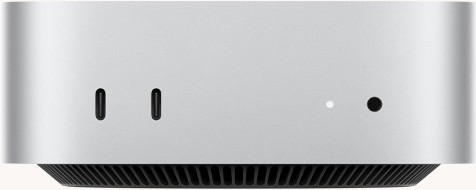
That picture is the front of the Mac mini, and it is where a lot of first evenings go wrong. Those two USB-C sockets are USB 3 data ports. Apple lists display output only for the three Thunderbolt ports and the HDMI port on the back.
| What you want | Port on the Mac mini | Cable |
|---|---|---|
| A sharp 4K picture at 60Hz | Rear HDMI, or any rear Thunderbolt port | HDMI, or USB-C to DisplayPort |
| 120Hz and smoother scrolling | Rear Thunderbolt port | USB-C to DisplayPort, or the monitor's own USB-C cable |
| Adaptive Sync (variable refresh) | Rear Thunderbolt port | Thunderbolt, USB-C or DisplayPort cable — Apple says not the HDMI port |
| The monitor's USB hub, speakers and picture down one cable | Rear Thunderbolt port | USB-C or Thunderbolt, on a monitor with a USB-C input |
| A third screen on an M6 | Thunderbolt (up to 5K 60Hz) or HDMI (up to 4K 60Hz) | Either |
The Adaptive Sync line is Apple's own guidance: it works on any Mac with Apple silicon, the monitor goes on a Thunderbolt port, and Apple says not to use the HDMI port for it. HDMI also carries only picture and sound, so a monitor's built-in USB hub stays dead unless a USB-C cable runs to the mini as well. For the general differences between the two connectors, see HDMI vs DisplayPort.
Four ways a Mac mini changes the shopping list
1. Charging wattage is money you cannot use
A monitor that advertises 65W, 96W or 140W over USB-C is selling laptop charging. The mini runs from its own power cord and takes nothing from the screen. That does not make USB-C monitors pointless: the USB hub behind that port is useful on a computer whose port list has no USB-A socket at all. Just do not pay extra for a bigger wattage number. Each pick below says what you are paying for and cannot use.
2. The desk is silent and blind until you fix it
One small built-in speaker, no camera, no microphone. On a MacBook page, monitor speakers are a footnote; here they decide whether you need to buy more hardware on day one. Two of the picks have 2x 5W speakers that cover video calls and background music. Only one — Apple's — adds a camera and microphones. For the rest, plan on a webcam and a headset or desk speakers; we have not checked any, so we name none.
3. Nothing in the Mac mini box connects a monitor
The mini ships with a power cord and nothing else, so the cable in the monitor's box matters. We checked two on Dell's own pages: the S2725QS ships with an HDMI cable only, and the S2725QC ships with a USB-C cable only. Where we did not confirm the box contents, the pick says so.
4. macOS likes two pixel densities
macOS draws its interface cleanly at about 110 pixels per inch or about 220. A 27-inch 5K screen (about 218) lands on the second; a 27-inch 4K screen (about 163) sits between them and runs in a scaled mode that is sharp in practice and a touch softer side by side. That is a rule of thumb from Mac designers, not an Apple statement — the full working is in our guide to monitors for Mac, and the PPI calculator will do the sum for any size.
The picks, read for a Mac mini
| Monitor | Screen | Speakers / camera | Cable in the box | Paid for, unused on a mini | Price, Nov 2026 |
|---|---|---|---|---|---|
| Dell S2725QS | 27-inch 4K 120Hz, ~163 ppi | 2x 5W speakers / no camera | HDMI only | Nothing | $230-$300 |
| Dell S2725QC | 27-inch 4K 120Hz, ~163 ppi | 2x 5W speakers / no camera | USB-C only | 65W charging | $300-$330 |
| ASUS ProArt PA279CRV | 27-inch 4K 60Hz, ~163 ppi | Plan on your own / no camera | Not confirmed | 96W charging | $390-$430 |
| ASUS ProArt PA27JCV | 27-inch 5K 60Hz, ~218 ppi | Plan on your own / no camera | Not confirmed | 96W charging | $699-$799 |
| Apple Studio Display (2026) | 27-inch 5K 60Hz, ~218 ppi | Six speakers, three mics, 12MP camera | Thunderbolt 5 cable, 1 m | 96W charging | $1,549-$1,599 |
| Dell UltraSharp U3225QE | 31.5-inch 4K 120Hz, ~140 ppi | No speakers / no camera | Not confirmed | 140W charging, Ethernet | $770-$850 |
Dell S2725QS — the one most Mac mini owners should buy
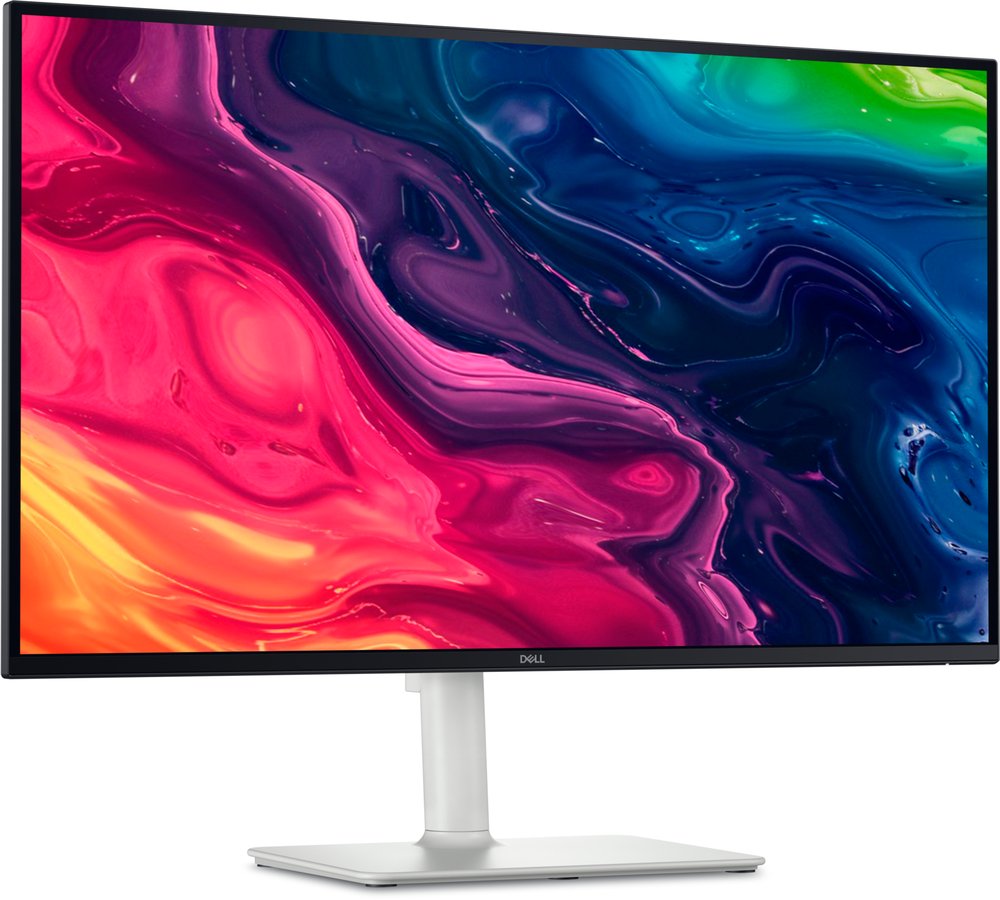
On our MacBook page this monitor sits last, because it has no USB-C and cannot charge a laptop. On a Mac mini that objection disappears, and what is left is a 27-inch 4K panel at about 163 pixels per inch for under $300. WIRED measured 100% sRGB, 79% Adobe RGB, 355 nits and 1,270:1 contrast; MonitorNerds read 75% DCI-P3. So: accurate for documents, code and the web, and not a wide-colour screen — photos shot on an iPhone will look a little flatter than on Apple's P3 displays. The 2x 5W speakers are better than the mini's own, which settles the sound question for calls. It has two HDMI 2.1 inputs, one DisplayPort 1.4 and no USB ports of any kind. Dell's box holds an HDMI cable and a power cord. That HDMI cable gives you a picture straight away; for 120Hz and Adaptive Sync, buy a USB-C to DisplayPort cable and use a rear Thunderbolt port, because Apple's tables only show the mini's HDMI port at up to 4K 60Hz and we will not promise more than Apple does. Dell's store listed it at $299.99 on 18 November, with no sale running.
Buy if you want sharp text and working speakers for the least money.
Skip if you edit wide-colour photos, or you need USB ports on the monitor.
- 4K sharpness and 120Hz for under $300
- Speakers cover the mini's weakest point
- 75% DCI-P3 measured — duller than Apple's own screens
- No USB hub; budget for a USB-C to DisplayPort cable
Dell S2725QC — the same screen with a USB hub and one cable
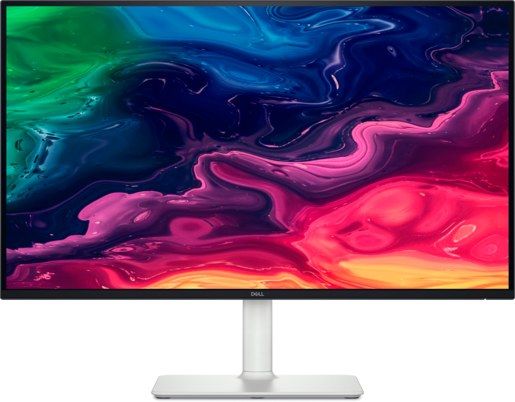
The sibling of the monitor above, with the ports swapped: a USB-C input with a pop-out USB hub (one USB-A, one USB-C), two HDMI 2.1 inputs and no DisplayPort. For a Mac mini that trade is worth a look. The USB-C cable in Dell's box goes straight into a rear Thunderbolt port and carries picture, sound and the hub together, which gives you a USB-A socket on a computer that has none. The 65W of charging on that port does nothing for a mini. Same 2x 5W speakers. The measured record is thinner than the QS's: RTINGS has reviewed this exact model, but its verdicts — very clear text, slow pixel response, weak HDR — reached us through coverage of the review and not the review page itself, so treat them as secondhand. Dell lists a one-year warranty with Advanced Exchange. On 18 November, Best Buy had it at $299.99 and Dell's own store at $329.99; it is not sold at B&H. Our under-$300 guide now prints it at $300-$330, with Best Buy at $299.99 on 18 November.
Buy if you want one cable and a USB-A port on the front of the monitor.
Skip if the extra $30 or so buys nothing you would use — take the QS.
- One USB-C cable: picture, sound, hub
- The right cable is in the box
- No DisplayPort input; 65W charging unused
- Lab verdicts are secondhand on this page
ASUS ProArt PA279CRV — colour work without the 5K bill

If the mini is for photos, design or video, this is where to start. ASUS claims 99% DCI-P3 and 99% Adobe RGB, and lab reviews measured roughly 97-100% DCI-P3 depending on the meter, so the P3 colour Apple's software assumes is really there. That accuracy lives in its preset modes: in Native mode DisplayNinja measured a maximum Delta E of 4.49, so pick a preset and stay in it. It stores a hardware calibration in the monitor, which matters more on a desktop that may outlive two operating-system reinstalls. Since ASUS's January 2026 firmware, its DisplayWidget Center app adjusts brightness from macOS — after you run the firmware update, not before. The costs on a mini: it is 60Hz, so no smooth scrolling; the 96W on its USB-C port is unused; and we did not confirm which cables are in the box or how good its speakers are, so assume you will buy a cable and bring your own sound. Three-year warranty. B&H listed it at $429.00, in stock, on 18 November. More on choosing it for stills in our photo-editing guide.
Buy if colour accuracy earns you money and 5K is out of budget.
Skip if the mini is for office work — the Dell is as sharp for $130 less.
- Measured wide gamut and hardware calibration under $430
- Brightness control from macOS after the firmware update
- 60Hz only
- Box contents and speakers not confirmed by us
ASUS ProArt PA27JCV — Retina sharpness at less than half Apple's price

A 27-inch 5K panel is about 218 pixels per inch, the density macOS draws at an exact 2x, so text looks the way it does on an iMac. A 5K 60Hz screen fits every row of Apple's table for the M6 and M5 Pro, including the third-display slot over Thunderbolt. Windows Central's colorimeter read 89% P3 in Native mode, 97% in the DCI-P3 preset and 99% in a user mode, and measured 550 nits — so set a colour mode on day one and leave Native alone. Its USB-C is ordinary USB-C at 96W, not Thunderbolt: the wattage is wasted on a mini and you cannot chain a second screen from it. There is no camera, and we would not rely on it for sound. We could not verify its warranty term or the cables in the box, so neither is stated. B&H listed it at $699.00, in stock, on 18 November.
Buy if you read and write all day and want 5K without Apple's price.
Skip if you need a camera and microphones in the screen, or 120Hz.
- Exact 2x Retina scaling at ~218 ppi
- 97-99% P3 measured in its colour modes; 550 nits measured
- Native mode drops to 89% P3
- 60Hz; warranty and box contents not verified
Apple Studio Display (2026) — it supplies everything the mini leaves out
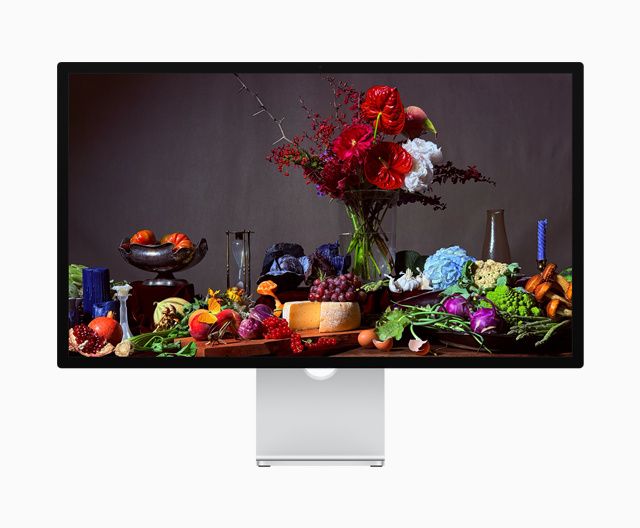
On a MacBook desk this display duplicates things the laptop already has. Next to a Mac mini it fills every gap in one purchase: a 12MP Center Stage camera, three microphones and six speakers, in a 27-inch 5K panel at about 218 pixels per inch and 600 nits by Apple's figure. One Thunderbolt 5 cable, included at 1 metre, does the lot. Go in with clear eyes about the rest. It is 60Hz. Macworld's review called the camera much improved and still only serviceable, and the value at list price poor. We found no independent gamut measurement for this generation, so no percentage is printed here. Thunderbolt is its only input — nothing else you own will plug into it. The base stand tilts and does not rise: Apple's price is $1,599 with standard glass and the tilt stand, $1,899 with nano-texture glass, and $1,999 with the height-adjustable stand. One-year warranty. B&H had the base model at $1,549.00, in stock, on 18 November as a holiday price that may not last.
Buy if you take calls daily and want camera, mics and speakers with no extra boxes.
Skip if you are paying for the panel alone — the ASUS above is the same class for $850 less.
- Camera, three mics and six speakers built in
- Exact 2x 5K; one cable, in the box
- 60Hz, tilt-only stand at the base price
- Thunderbolt input only; one-year warranty
Dell UltraSharp U3225QE — the 32-inch, if a laptop shares the desk
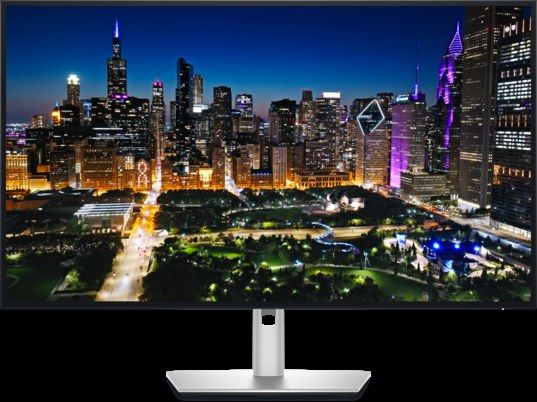
A 31.5-inch 4K screen at 120Hz with a Thunderbolt 4 hub behind it, and PCWorld measured it at 100% sRGB, 98% DCI-P3 and 469 nits. It is the big-desk choice. It is also the pick where a Mac mini owner pays for the most they cannot use: the 140W of charging is for a 16-inch laptop, and the monitor's Ethernet socket repeats one the mini already has. What still earns its place is the hub and the KVM switch — if a work laptop shares this screen with your mini, one keyboard and mouse follow whichever computer you select. If nothing shares the desk, the S2725QS or the PA27JCV is the better spend. It has no speakers, so add sound. About 140 pixels per inch puts it in macOS's scaled range, like the 4K picks above.
One item is Dell's own and should be read before buying: support bulletin KB 000356362 names this model family for USB hubs dropping to USB 2.0 speeds on MacBooks over Thunderbolt, closed-lid wake failures and daisy-chained displays not detected after wake — and names firmware M2T102 A01 as the fix. Dell describes it on MacBooks; we have seen nothing that shows it on a Mac mini, in either direction. Update the firmware on day one and test wake-from-sleep inside your return window.
Price note, 18 November 2026: B&H had it at $799.99 and Adorama at $789.00, both inside the $770-$850 range. Dell's own store was at $969.99 the same day — check the others before buying direct.
Buy if you want 32 inches and a second computer shares the monitor.
Skip if the mini is the only computer on the desk — most of the dock goes unused.
- 120Hz at 32 inches; 98% DCI-P3 measured
- Thunderbolt hub and KVM for a shared desk
- Dell's Mac advisory — firmware update required
- No speakers; 140W and Ethernet unused on a mini
Two monitors on one Mac mini
These pairings are read off Apple's limits above. No reviewer we can cite has tested them on a Mac mini, and neither have we — treat them as "fits what Apple publishes", not as a tested result.
| Pairing | Rough cost | How it fits Apple's table | How to cable it |
|---|---|---|---|
| Two Dell S2725QS (4K 120Hz) | About $460-$600 | Apple's three-display row allows two screens at up to 4K 165Hz on both the M6 and the M5 Pro | Two USB-C to DisplayPort cables into two rear Thunderbolt ports. Put the second screen on HDMI instead and Apple's figure for it is 4K 60Hz |
| Two ASUS PA27JCV (5K 60Hz) | About $1,400-$1,600 | Inside the "two at up to 6K 60Hz" allowance | One rear Thunderbolt port each — the ASUS is not a Thunderbolt monitor, so it cannot pass a second screen along |
| Any two screens on an M1 or M2 mini | — | Two is the ceiling; on the M1, Apple's limit puts one of them on HDMI | M1: one on Thunderbolt, one on HDMI |
The costs are our arithmetic from the ranges above. Not sure whether two screens beat one wide one? Our ultrawide vs dual monitor comparison does the pixel maths, and the size guide draws the sizes to scale.
What we did not pick, and why
No pick: a 27-inch 1440p monitor
At about 109 pixels per inch, macOS shows it at 1x with no Retina mode, and text looks visibly coarser than on any 4K or 5K screen here. With a sharp 4K Dell at $230-$300, there is no price argument left for it on a Mac. The reasoning is set out in full in the Mac guide.
No pick: ultrawides
A 3440x1440 ultrawide will run from a Mac mini, at the same 1x text sharpness as a 27-inch 1440p screen. The sharper 5K2K ultrawides are the uncertain ones: Notebookcheck reported owners of M4 Macs losing the crisp scaled mode on them, and later owner reports say a macOS update brought it back. All of that is owner reports, none of it lab-tested, and none of it is specific to the M6 mini — so we explain it and pick nothing.
Held until a lab measures it
Samsung's ViewFinity S8 S80HF, a 27-inch 5K screen listed around $699.99, has no independent measurement we could find, and this site does not pick from a spec sheet. Samsung's older ViewFinity S9 is discontinued and LG's UltraFine 5K is out of production; both still turn up in Mac mini lists, and neither belongs in one written this month.
Not on this page at all
Webcams, desk speakers, docks and cables by brand. A Mac mini desk needs some of them, and we have not checked any to the standard the monitors are held to.
To put two of these screens side by side spec for spec, use the compare tool. If your Mac is a MacBook, the advice changes — charging wattage matters again — and the best monitors for Mac guide is the page for you.
Update history
November 19, 2026: Corrected the under-$300 guide cross-reference: the S2725QC now prints $300-$330 sitewide (Best Buy $299.99 on 18 November).
November 18, 2026: Published: Apple's display limits for the Mac mini M6 and M5 Pro (read from Apple's US pages on 18 November) beside the M4, M2 and M1, a port-and-cable table, six picks judged for a desktop Mac, dual-monitor pairings labelled as untested, and no-pick notes for 1440p and ultrawides.
Sources checked
Specs and prices in this guide were checked against these sources in November 2026 — the manufacturer's own listing plus an independent lab or reviewer, per our two-source rule.
- Apple — Mac mini technical specifications (M6, M5 Pro)
- Apple Support — How many displays can be connected to Mac mini
- Apple Support — Mac mini (M6) display support
- Apple Support — Mac mini (M5 Pro) display support
- Apple Support — Mac mini (M4, 2024) display support
- Apple Support — Mac mini (M4 Pro, 2024) display support
- Apple Support — Mac mini (M2, 2023) display support
- Apple Support — Mac mini (M2 Pro, 2023) display support
- Apple Support — Mac mini (M1, 2020) display support
- Apple Support — Adaptive Sync on a Mac
- AppleInsider — M6 Mac mini display limits (25 Aug 2026)
- Dell S2725QS — official product page
- WIRED — Dell 27 Plus 4K S2725QS review (measured)
- Dell S2725QC — official product page
- ASUS ProArt PA279CRV — official product page
- ASUS — ProArt macOS features press release (Jan 2026)
- ASUS ProArt PA27JCV — official product page
- Windows Central — ASUS ProArt PA27JCV lab review
- Apple Studio Display — official Apple page
- Macworld — Studio Display (2026) review
- B&H — Apple Studio Display (2026) listing
- Dell UltraSharp U3225QE — official product page
- PCWorld — Dell UltraSharp U3225QE lab review
- Bjango — Mac external displays explainer (ppi targets)
- Notebookcheck — M4 Mac owners report ultrawide scaling problems

Akbar Khan Editor, BuyBestMonitor
Akbar has run BuyBestMonitor since its original 2020 launch. Every guide here is checked under the site's two-source rule — manufacturer specs confirmed against an independent lab review — before publication and at every refresh. About the editor · How we check monitors