 BuyBest
Home › Best Monitors for Mac 2026: 5K Retina and 4K Picks, Checked

Best Monitors for Mac in 2026: 5K Retina and 4K Picks, Checked
A monitor that is excellent on Windows can be a mediocre Mac monitor, for reasons that never appear on a spec sheet. macOS has exactly two sharpness targets — about 110 ppi, where the interface renders 1x, and about 220 ppi, where it renders at a crisp 2x Retina. A 27-inch 5K panel (~218 ppi) hits the second target exactly. A 27-inch 4K panel (~163 ppi) sits in the scaled gap between them: sharp, but rendered larger and shrunk, at a small performance cost Apple itself acknowledges. And a 27-inch 1440p panel (~109 ppi) lands on the first target — no HiDPI at all. Every pick below is labelled with its scaling class, its single-cable wattage against real Mac charging needs, and how its brightness controls actually behave on macOS.
Using a Mac mini? Its display limits, ports and cabling are a different question — a mini needs no charging and has no camera or microphones — so it has its own page: best monitor for Mac mini.
At a glance
| Monitor | Size / Panel | macOS scaling | Single cable | Typical price |
|---|---|---|---|---|
| ASUS ProArt PA27JCV | 27" IPS, 5K | Native 2x — ~218 ppi | USB-C 96W | $699-$799 |
| Apple Studio Display (2026) | 27" IPS, 5K | Native 2x — ~218 ppi | Thunderbolt 5, 96W | $1,549-$1,599 |
| Dell UltraSharp U3225QE | 31.5" IPS Black, 4K | Scaled — ~140 ppi | Thunderbolt 4, 140W | $770-$850 |
| ASUS ProArt PA279CRV | 27" IPS, 4K | Scaled — ~163 ppi | USB-C 96W | $390-$430 |
| Dell S2725QS | 27" IPS, 4K | Scaled — ~163 ppi | None — no USB-C input | $230-$300 |
Prices checked November 2026 — live prices at the retailer may differ.
ASUS ProArt PA27JCV — Retina 5K without the Apple tax

The monitor that changed this category's maths: a true 27-inch 5K panel at the Mac's native ~218 ppi — macOS runs its exact 2x mode, a 2560x1440 workspace with no scaled framebuffer and no softness — for roughly half the Studio Display's price. Colour is factory-calibrated with a report, and the measured record comes with a mode warning: Windows Central's colorimeter read 89% DCI-P3 in Native mode, 97% in the DCI-P3 preset and 99% in User Mode 1, so grade (and judge) it in a colour mode, not Native. Measured brightness reached 550 nits, above ASUS's 400-nit typical figure. The single cable is USB-C at 96W — full speed for a MacBook Air or 14-inch Pro, slow-drain risk for a loaded 16-inch Pro — and it is not Thunderbolt, so there is no Thunderbolt daisy-chain. The integration story is the surprise: since January 2026, ASUS's DisplayWidget Center for macOS (a firmware update is required) maps the MacBook's own brightness keys to this monitor and adds an M Model P3 preset that syncs its output with a MacBook screen. No webcam — bring your own. ASUS lists it at $699; street runs to $799.
Buy if you want true Retina text and P3 colour at half the Apple price.
Skip if you need a webcam in the screen, Thunderbolt, or 140W for a 16-inch Pro.
- Native 2x scaling — the cheapest legitimate Retina external display
- Measured 97-99% DCI-P3 in its colour modes; 550 nits measured
- P3 coverage collapses to 89% in Native mode — the preset decides
- USB-C is not Thunderbolt; no webcam or speakers to speak of
Apple Studio Display (2026) — the native pick, bought with open eyes
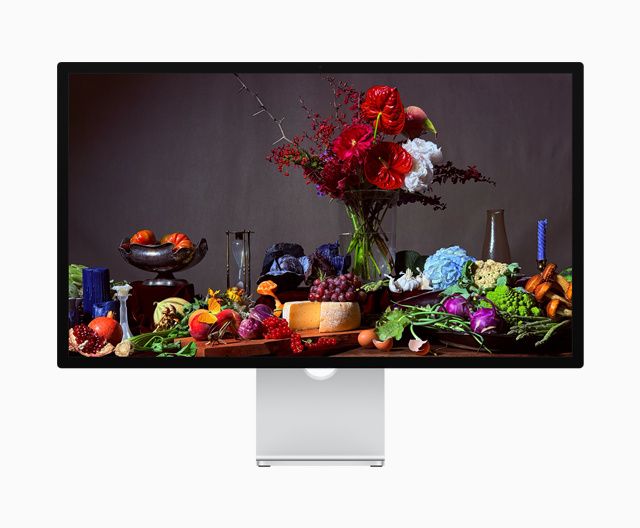
The integration benchmark: brightness and volume keys that just work, True Tone, a 12MP Center Stage camera with Desk View, a three-mic array, a six-speaker system, and firmware that arrives through the Mac — because Apple treats it as part of the machine. The 2026 second generation (the only one on sale now; the 2022 model was discontinued in March 2026) modernised everything around the panel: two Thunderbolt 5 ports, one downstream for daisy-chaining, at 96W. What did not change is the panel itself — 27-inch 5K at ~218 ppi and 600 nits, but 60Hz, edge-lit, with no HDR. Macworld's review of this generation called the webcam much improved yet still only serviceable, the speakers better than most monitors yet still serviceable, and the value at list price poor. The stand ladder is printed because it is real: the $1,599 base is tilt-only, height adjustment is a +$400 configuration, nano-texture glass +$300, decided at purchase. Thunderbolt is the only input — no HDMI, no DisplayPort, no Windows PC. Warranty is Apple's 1 year, the shortest in this guide. Buy it for the integration, with your eyes open about the panel.
Buy if the desk is all-Apple and the screen should behave like part of the Mac.
Skip if you are paying for panel progress — there is none here over 2022.
- Total macOS integration no third-party monitor matches
- Native 2x 5K, 600 nits, Thunderbolt 5 daisy-chain
- 60Hz, no HDR — an unchanged panel at a 2026 price
- Height-adjustable stand is +$400; 1-year warranty
Dell UltraSharp U3225QE — the big screen and the real dock
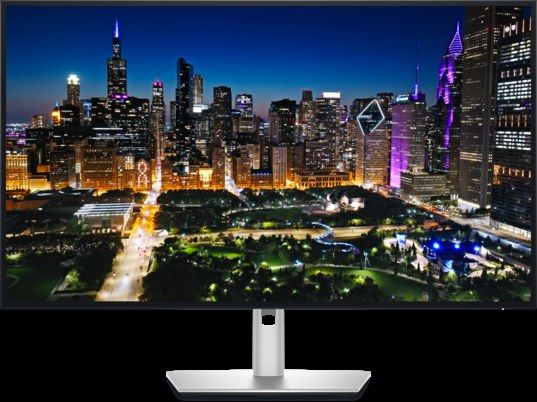
The strongest dock story in this guide attached to a scaled-class panel. The compromise first: 4K at 31.5 inches is ~140 ppi, so macOS runs a scaled workspace — sharp enough at desk distance, a visible step below the two native picks up close. What you get for it: 32 inches, 120Hz (Macs drive it fully over Thunderbolt), measured 98% DCI-P3 (PCWorld) so colour matches the P3 ecosystem, and the only single cable here that charges a 16-inch MacBook Pro at its full 140W, with Ethernet, KVM and daisy-chain outputs behind it. No native brightness control — a DDC app handles that. The serious item is Dell's own: support bulletin KB 000356362 names this model family for USB hubs dropping to USB 2.0 speeds on MacBooks over Thunderbolt, closed-lid wake failures and daisy-chained displays not detected after wake — and names firmware M2T102 A01 as the fix. So: update the firmware on day one, and test clamshell wake inside your return window. With that done, nothing else in this guide docks a Mac like it. Warranty 3 years with Advanced Exchange.
Buy if one cable must power a 16-inch Pro and run the whole desk.
Skip if native Retina text is the priority, or you will not do the firmware update.
- 140W Thunderbolt dock — a class of one in this guide
- 120Hz and measured 98% DCI-P3 at 32 inches
- Dell-documented Mac wake/USB issues until firmware M2T102 A01
- Scaled ~140 ppi text, not native 2x
ASUS ProArt PA279CRV — 4K creator value, Mac-friendly since January

Our video-editing value pick, re-examined for Mac — and the Mac lens flatters it. The scaling story is the standard 4K compromise: ~163 ppi, run "looks like 2560x1440" scaled (slightly soft, small GPU cost) or exact-2x at 1920x1080 (perfectly sharp, oversized). In exchange you get a true P3 panel — measured at roughly 97-100% DCI-P3 across labs, with preset-mode Delta E of 0.57-0.8 and a factory report — plus hardware (LUT) calibration, which no other pick near this price offers. Since January 2026 it shares pick 1's trick: ASUS's firmware programme brought DisplayWidget Center for macOS, MacBook brightness-key control and the M Model P3 preset to this model too — but only after you run the firmware update; skip it and you are back to DDC apps, which also work. USB-C carries 96W with a DisplayPort daisy-chain output. HDR is a DisplayHDR 400 certificate on an edge-lit panel — compatibility, not capability. Warranty 3 years.
Buy if P3 colour work matters more than native-Retina text.
Skip if you want exact 2x rendering — that is pick 1 at roughly double.
- Measured P3 colour and hardware calibration under $430
- Brightness keys on macOS after the January 2026 firmware
- Scaled 4K — sharp, not native
- The Mac features do not exist until the firmware is updated
Dell S2725QS — the budget 4K, with a cable warning in the headline
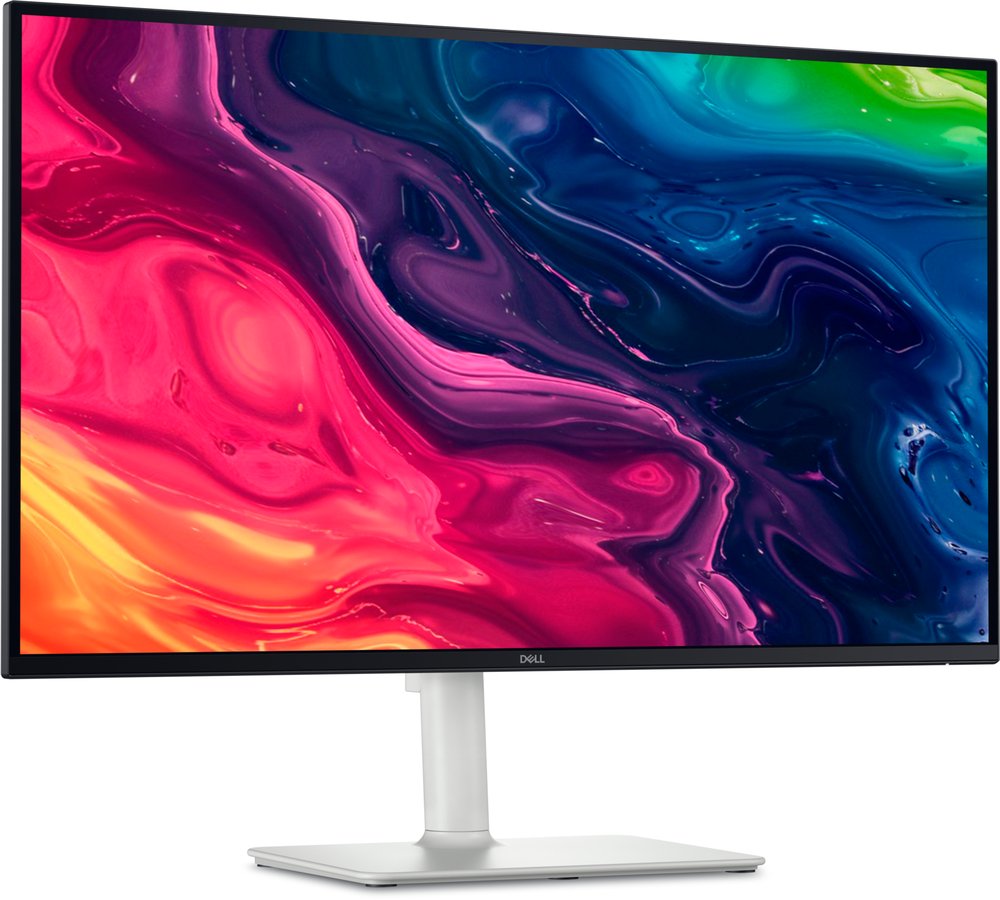
The cheapest way to put a scaled-4K Mac desktop on a desk — and the clearest illustration in this guide that "works with a Mac" and "works well with a Mac" are different claims. The panel part is fine: 27-inch 4K at ~163 ppi (the same scaled class as pick 4), 120Hz, and unusually good 2x 5W speakers. The connection part is the worst here: this model has no USB-C input at all — HDMI and DisplayPort only — so a MacBook needs a USB-C-to-DisplayPort or USB-C-to-HDMI cable you supply yourself, and gets no charging and no hub in return. (Amazon titles that add "USB-C" to this model are describing its QC sibling.) Colour is the second caveat: Dell claims 99% sRGB only, and the one lab to measure it (MonitorNerds, single-source) found 75% DCI-P3 — on a Mac, where the OS and the built-in screen assume P3, wide-gamut colour looks visibly duller beside any MacBook. For documents, code and sRGB web work, none of that matters and the price is right. Warranty is a 3-year Advanced Exchange bundle under a "1 Year" headline.
Buy if the work is sRGB and the budget is near $250 — cable budgeted.
Skip if you want one cable, charging, or P3 colour.
- Scaled-4K sharpness and 120Hz at a budget price
- Speakers worth using for calls
- No USB-C: no single cable, no charging, no hub
- 75% DCI-P3 measured — the one real colour mismatch here
The classic Mac mistake: a 27-inch 1440p monitor
This guide has no 1440p pick, deliberately. The maths: 2560x1440 at 27 inches is about 109 ppi — macOS's 1x target — so the interface renders at native size with no HiDPI mode worth using, and because Apple removed subpixel font smoothing back in Mojave, text looks visibly rougher on a Mac than the same panel shows on Windows, and dramatically rougher than the MacBook screen sitting beside it. This is not about bad panels: Dell's UltraSharp U2724D (about $286-$350) is a genuinely good 1440p monitor — IPS Black, 120Hz, 98% DCI-P3, 90W USB-C — and it still cannot fix the one thing a Mac buyer stares at all day. If you already own a 1440p monitor, use it happily. If you are buying for a Mac, the same money buys pick 5's 163 ppi, and the difference is not subtle.
Two 5K classics have left the shelf
Samsung's ViewFinity S9 was the Studio Display's most direct rival — 5K, Thunderbolt 4, a height-adjustable stand included, street prices that fell as low as $619.99. B&H now lists it as discontinued and names its replacement; remaining units are tail-end stock with a 1-year warranty behind them. Found new near $700 with a return window, it is a rational gamble — but a discontinued monitor is not a November 2026 recommendation. Its successor, the ViewFinity S8 S80HF at $699.99, is not picked either: no independent lab had measured it at our check, and this site does not write picks from a spec sheet. LG's UltraFine 5K, the default Mac monitor for a decade, is out of production; leftover new units sit near $2,500 — collector pricing for a 2019 design, more than the display that replaced it. And for the reader asking about the ceiling: Apple's Studio Display XDR ($3,299) fixes every panel complaint about pick 2 — mini-LED, 120Hz, 140W — at more than four times pick 1's price. It is the best Mac display Apple sells, at a price that buys pick 1, pick 3 and a Mac mini.
Update history
November 19, 2026: Apple Studio Display range corrected to $1,549-$1,599 sitewide (B&H $1,549.00 on 18 November).
November 18, 2026: Added a pointer to the new Mac mini guide, which covers display limits, ports and cabling for the desktop.
November 11, 2026: Published: five Mac picks scaling-checked — two native 5K Retina displays, the scaled-4K compromise priced honestly, Dell's own Mac wake/USB advisory printed with its firmware fix, and the 1440p no-pick box.
Sources checked
Specs and prices in this guide were checked against these sources in November 2026 — the manufacturer's own listing plus an independent lab or reviewer, per our two-source rule.
- Bjango — Mac external displays explainer (ppi targets)
- ASUS ProArt PA27JCV — official product page
- Windows Central — ASUS ProArt PA27JCV lab review
- Guru3D — ASUS ProArt PA27JCV review
- ASUS — ProArt macOS features press release (Jan 2026)
- Apple Studio Display — official Apple page
- Macworld — Studio Display (2026) review
- EveryMac — Studio Display (2026) specifications
- Dell UltraSharp U3225QE — official product page
- PCWorld — Dell UltraSharp U3225QE lab review
- ASUS ProArt PA279CRV — official product page
- Dell S2725QS — official product page
- RTINGS — Dell S2725QS review

Akbar Khan Editor, BuyBestMonitor
Akbar has run BuyBestMonitor since its original 2020 launch. Every guide here is checked under the site's two-source rule — manufacturer specs confirmed against an independent lab review — before publication and at every refresh. About the editor · How we check monitors